The Cable Clutter Trap

Mukesh Kumar
| 06-11-2026
 · Lifestyle Team
Welcome, everyone. Adjusting your desk layout and storage systems provides clear visibility of daily tasks and reduces physical strain during extended work periods.
Position your monitor so the top edge aligns with your eye level, reducing downward neck strain. A monitor riser or adjustable arm elevates the screen to the correct height if the factory stand falls short.
Place the keyboard close enough to keep your elbows bent at a 90-degree angle while typing. You can try this right now: sit in your chair, hold your arms relaxed at your sides, bend your elbows to 90 degrees, and slide your keyboard exactly to where your fingertips rest.
Ensure the pointing device sits directly next to the keyboard to prevent shoulder extension and wrist deviation. Maintaining this posture lowers the risk of repetitive strain injuries associated with prolonged computer use.
Skip the sterile look. These color pairings add cozy, lived-in charm.
One pair can transform a look! See how high heels can add height, polish, and a stylish finish!
Ready to make the bathroom more striking? Bold finishes and moody details can change the whole room!
Pick the right main light with brightness, warmth, and shape in mind.
Size, material, and practical checks for choosing a freestanding tub that fits your space and habits.
Wondering which fixture suits your kitchen? Get easy tips for choosing the perfect glow!
Cable Management Techniques
Exposed cords create visual clutter and occupy functional desk space. Group wires together using plastic zip ties or fabric hook-and-loop straps to form a single bundle. Route this bundle along the back edge of the desk or attach it to the underside using adhesive cable clips. A cable management tray installed beneath the desk surface holds surge protectors and thick power adapters, keeping them off the floor and out of sight.
Managing these cables prevents them from tangling around your legs or office chair wheels. Labeling each cord near the surge protector facilitates quick identification when modifying the setup later.

Storage Placement and Shelving
Place frequently used items, such as pens and notebooks, in the top drawer of your desk for rapid access. Install floating shelves above or adjacent to the desk to hold reference books and storage boxes, maximizing vertical space. Keep heavy equipment, such as printers or scanners, on a separate side table or low cabinet to free up the primary work surface.
Store bulk supplies in lower drawers or enclosed cabinets to maintain a tidy environment. Categorizing items by frequency of use dictates their physical proximity to your chair. Drawer dividers separate small components, preventing them from mixing together when the drawer opens and closes.
Active Versus Archived Documents
Separate current project files from completed work to improve retrieval speed. Use desktop letter trays or vertical file organizers exclusively for documents requiring immediate action. Transfer older documents into labeled folders and store them in a filing cabinet or storage box away from the primary desk area.
Review the active trays weekly to move completed items into the archive system. Establishing a clear boundary between ongoing and finished tasks prevents document accumulation on the desk. Digital storage handles large data sets, but physical sorting requires designated physical boundaries to succeed.
Corkboards for Task Visibility
Mount a corkboard on the wall directly in front of or beside your desk. Pin physical lists, schedules, and important reference numbers to the board, removing them from the flat desk surface. Update the pinned items regularly to ensure the displayed information reflects current priorities. This vertical display method keeps critical data visible without occupying horizontal workspace.
Assigning specific zones on the board for different projects categorizes visual information efficiently. Using pushpins of varying colors distinguishes urgent tasks from general reference materials.
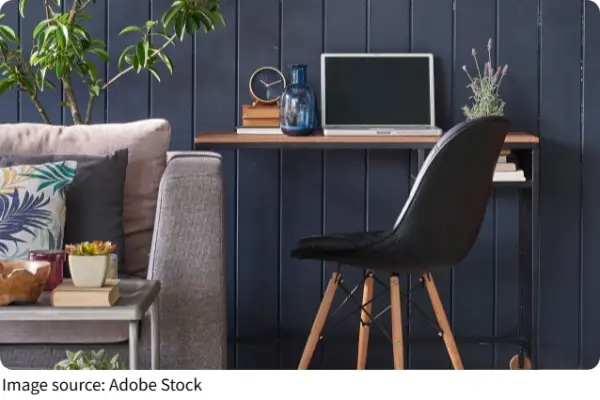
Adjusting equipment heights and grouping items by usage frequency creates a structured environment for daily tasks. Implementing these physical changes results in a workspace that supports sustained focus and straightforward document retrieval. You can maintain this layout by returning items to their designated locations after each use. Consistency in these practices limits future accumulation of loose papers and miscellaneous supplies.